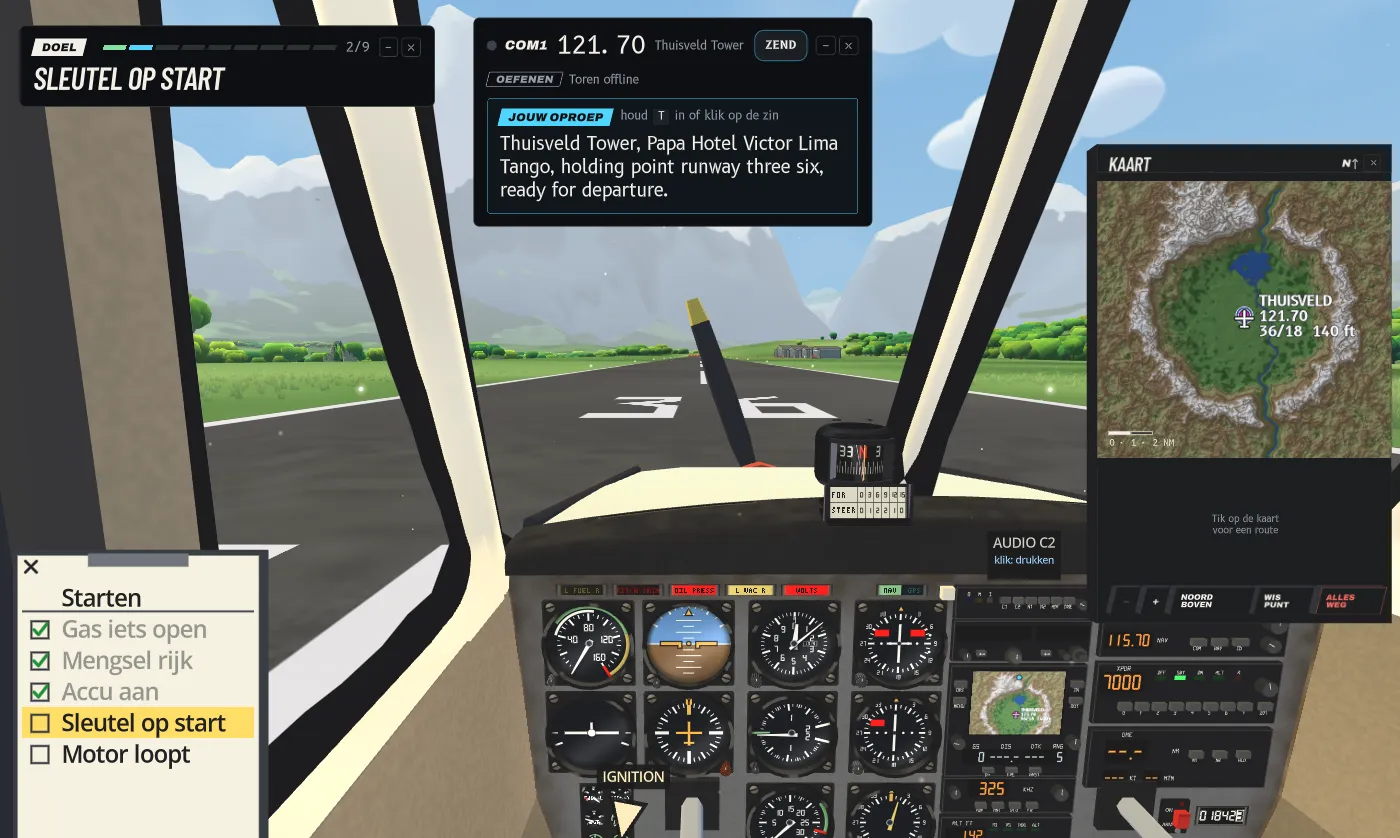
Two demo builds went out on Wednesday, one in the night and one in the afternoon. Demo 0.4 brings the tutorial to Mac, Windows and Quest. Demo 0.5 puts everyone who is flying the demo on the same radio. Since then the workbench has been busy too: cockpit labels that tell you what a click does, a plane you can break in the test hangar, and rising air over warm ground.
New in demo 0.4 and 0.5 (all platforms)
- The tutorial, everywhere. Until Wednesday, Mac and Windows were still on demo 0.2. Now all platforms get the tutorial from the last devlog. You start cold on the runway, and the copilot says each step of the checklist, in English or Dutch, and points at the control. The control to work now glows amber. Two tips come once along the way: how to look around, and how to click the yoke out of the way. On the take-off roll he keeps you on the runway: drift too far from the centreline and he steers you back, then hands the controls back with "your controls".
- One radio for everyone. Demo 0.5 connects to an online tower. You see other players flying in the valley and hear them on the radio, and the game asks for your microphone so they can hear you. The tower itself still speaks fixed lines. This works in the browser version on itch.io too. Just want to listen? tower.hangarvalley.com plays the frequency in your browser.
- Achievements and a grandstand. The pause menu has a new Grandstand tab. Fly a maneuver well in the small plane, at least 150 m above the ground, and it gets ticked off: a stall, steep turns at 45 and 60 degrees, a chandelle, a wingover, a slip, two seconds of zero g, and a few more. The grandstand is for the show-offs: a roll, a loop, inverted flight, a spin and a hammerhead. Only the roll can be flown today. The flight model still holds back the other four, and they open up as soon as it can fly them.
The demo is on this site and on itch.io, where it also runs in your browser.
On the workbench
None of this is in the demo yet. It lives in my dev build, and the full game is not out yet.
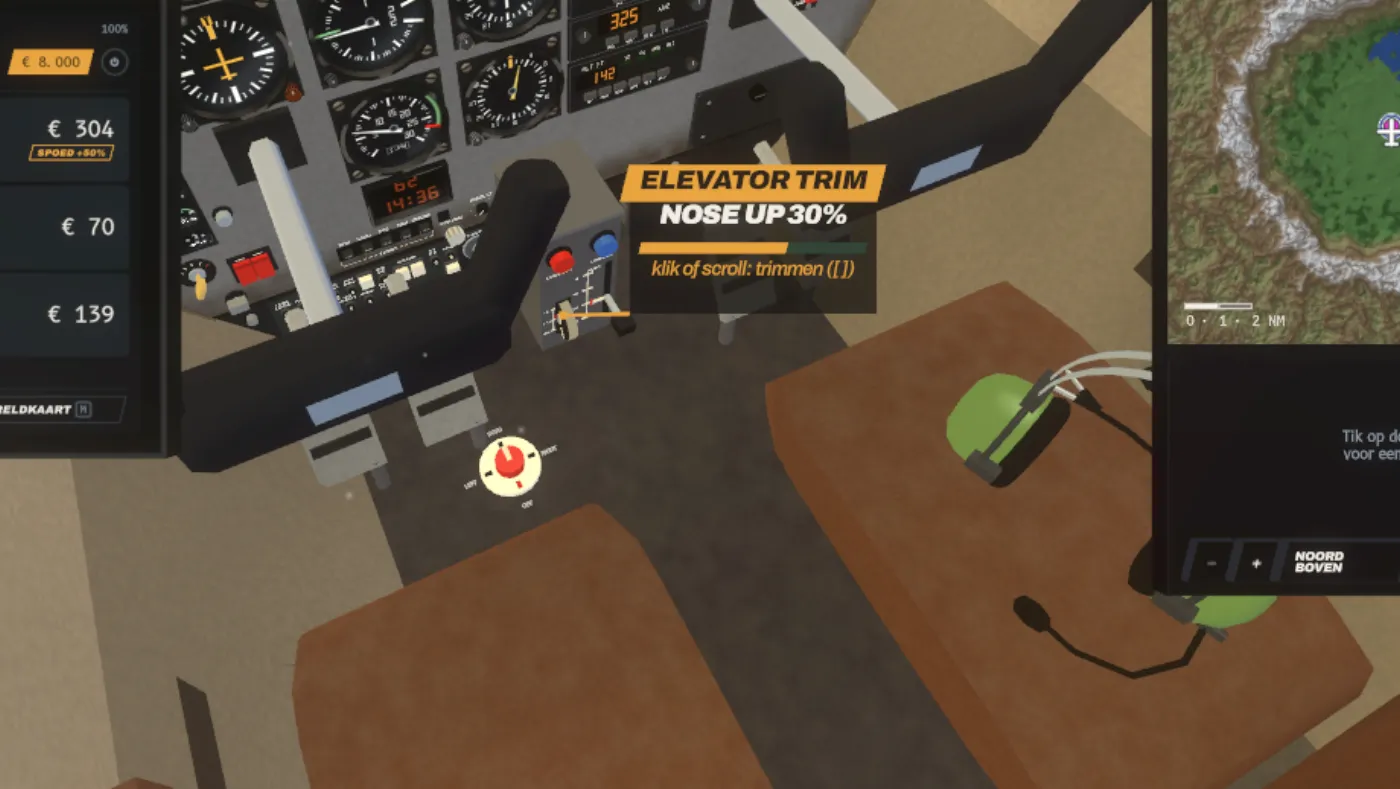
- Labels that say what a click does. Point at a control in the cockpit and a card appears beside it: the name on an amber stripe, its state, a meter for controls without fixed steps such as the throttle, and a line to the control itself. The card says what your click will do right now. When the checklist wants a control that hides behind the yoke, you see it through the yoke.
- Talk to the copilot. Ask him out loud to work a control, or to open and shut the doors and windows, and he does it and answers in one short line. On Quest you double-click the left stick to talk, on Mac and PC you tap T twice. The pause menu gets microphone settings: on or off, which microphone, volume, and a level meter.
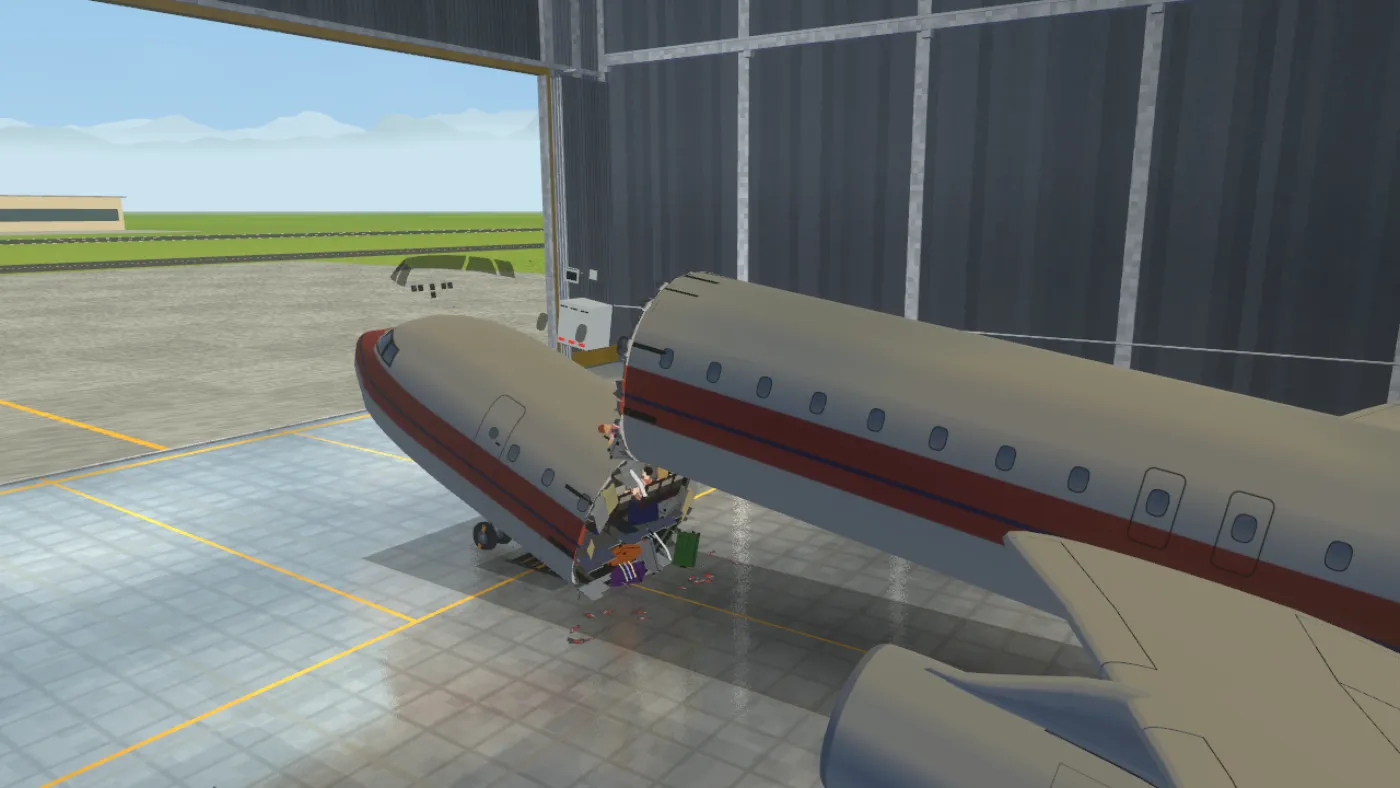
- Break it in the test hangar. Click the plane and break or crack it right there: a wing snaps at the nearest rib, the hull splits where you clicked. Click the same crack again and it grows, until that part breaks off. Window glass cracks like a spider web, or the pane drops out.
- Rising air. Warm air now rises from the ground, from whatever is warmest at that hour: asphalt, rock, fields, forest or water. Each thermal leans with the wind and fades after about 25 minutes. The plane feels it as lift. Like all weather, this is a preview.
- A third plane. A light two-seat ultralight, in a rough first version. It has its own flight numbers, lifts off at about 40 knots and shows its own speeds on the kneeboard, but for now it borrows the small plane's body and cockpit.
- Ground crew. The people at the airfield are getting work clothes: hi-vis vests and jackets, gloves, ear defenders and hard hats. They can hold marshalling wands, chocks, a clipboard or a cone, and give the hand signals that guide you in.
No dates: when something is ready, it ships.
Feedback welcome
- Did you hear another pilot on the radio? Tell me what happened.
- Where did the tutorial lose you, if it did?
Come say hi on Discord. The game also streams live on Twitch.