Demo 0.2 is up for Mac, Windows and Meta Quest. The first demo went out on 18 October, and this post covers everything since then: first what you can play today, then what is still on my workbench.
New in demo 0.2
- Quest crash fixed. In the headset, opening a closed panel from the HUD panels list in the pause menu crashed the game. That is fixed, and closed panels open again in the headset.
- Joysticks, throttles and pedals. The pause menu has a new HOTAS tab. Click a row, then move the axis or press the button you want for it. Stick, throttle and toe brakes, plus buttons for flaps, trim and the autopilot. The throttle only takes over when you move it, so the autopilot keeps flying. Not in the headset. Tested on Mac; the Windows build has it too, but I have not tried a stick there yet.
- Calmer birds. Fewer and smaller flocks with softer calls. Around the home field that means 50 birds instead of 126.
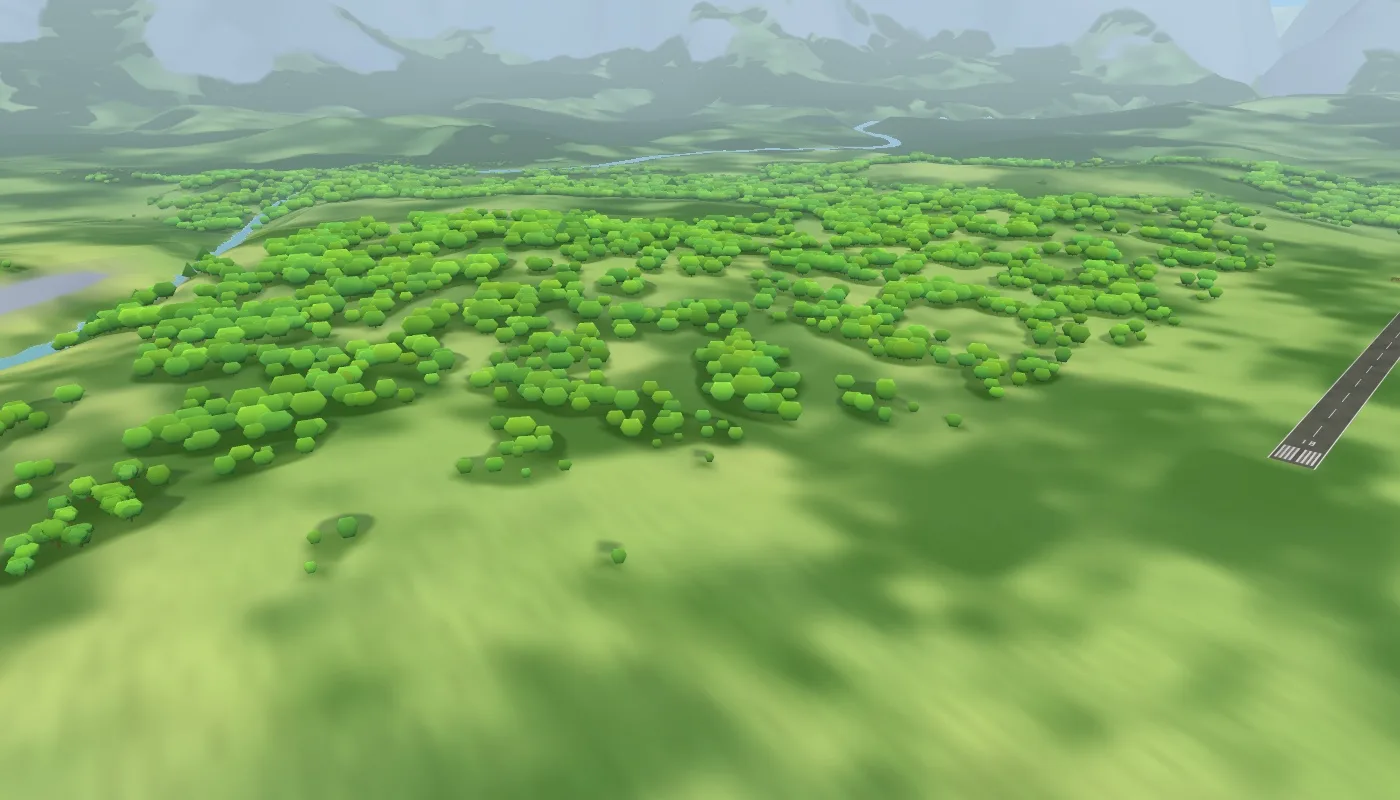
- More colour in the forests. Patches of yellow-green birch and willow and blue-green alder and beech now break up the oak green, and they stay visible into the distance.
- A hands-on copilot. With the autopilot on, the copilot in the right seat now reaches over and moves the throttle by hand, then goes back to the yoke.
- Rain stays outside. No more rain falling inside the hangars, and the windows stay dry while the plane is parked inside. Weather is still a preview.
- Ammeter. With the power off it now rests at 0.
One thing to know: on Quest the menu still says "Demo 0.1". The fix is in that build; the label catches up with the next Quest build.
The demo is on this site and on itch.io. The Quest demo is also submitted to the Meta Horizon Store and waiting for review.
On the workbench
None of this is in the demo. It lives in my dev build, and the full game is not out yet.
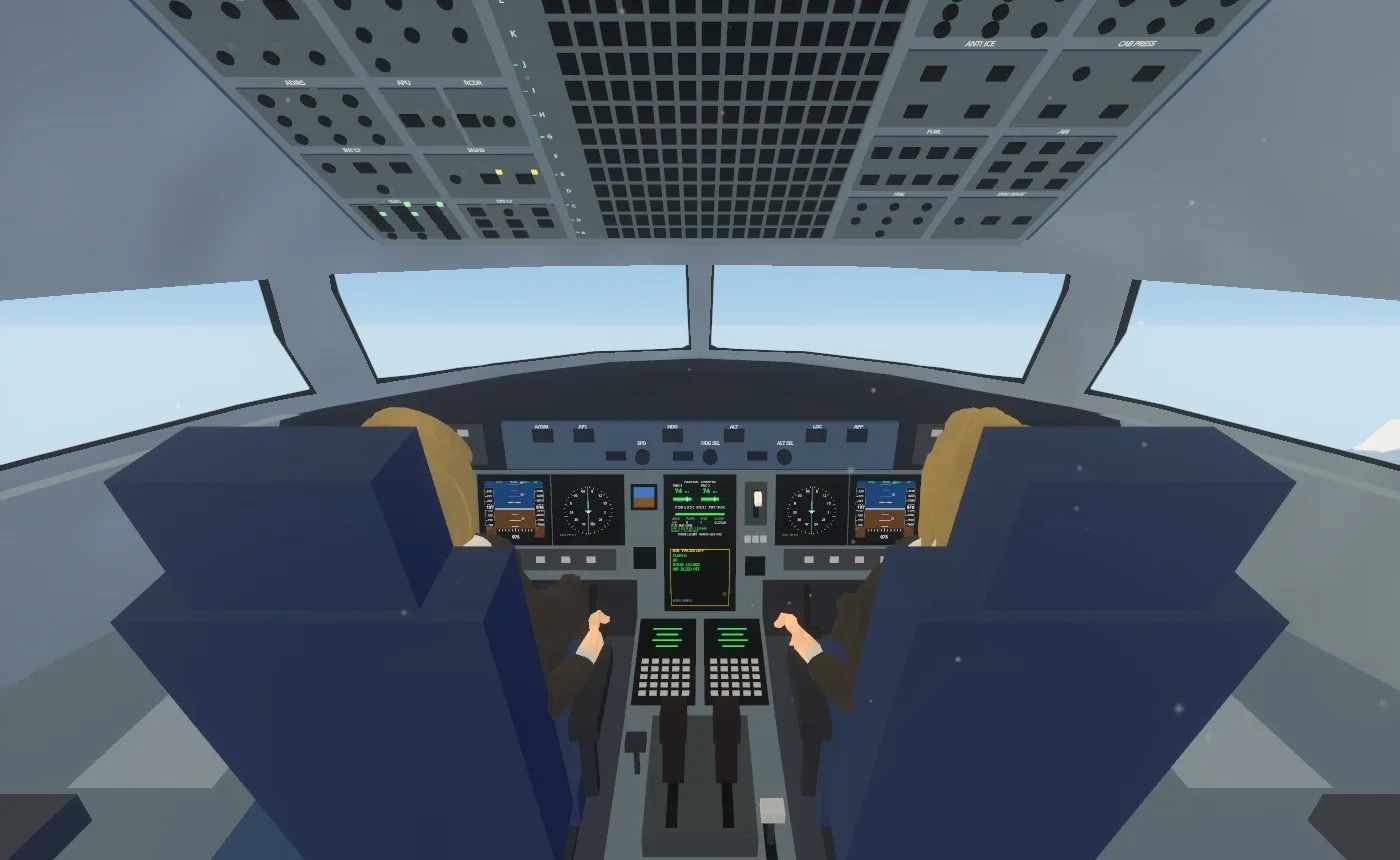
- The airliner cockpit has all its panels. Glareshield with the autopilot and display controls, warning panels, a centre pedestal with radios and flight computers you can press, side panels, a standby instrument and an overhead hydraulics panel. Lamps and displays follow the power: with everything off, the panel stays dark.
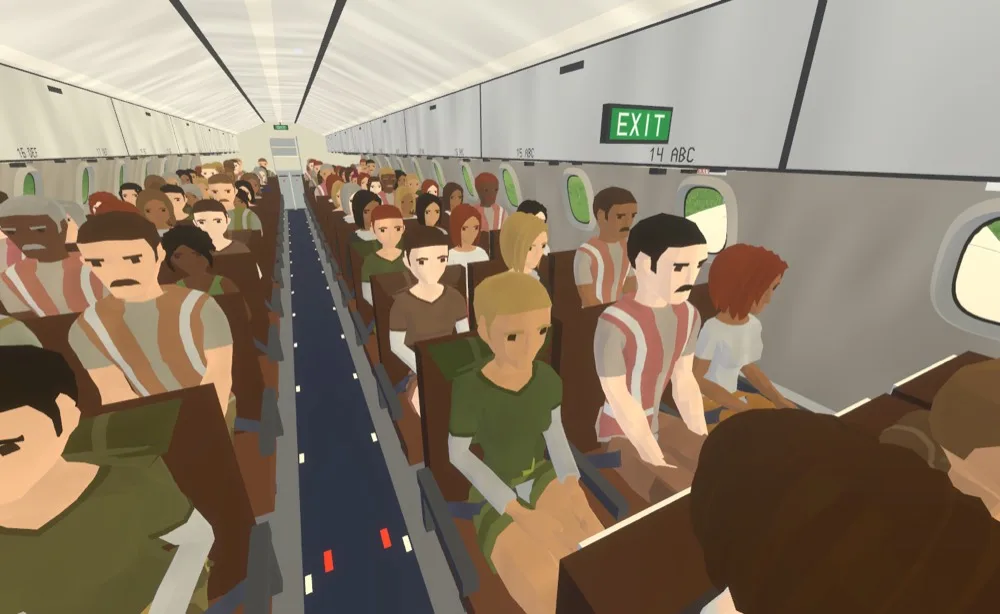
- A full cabin. All 162 seats taken, no two neighbours alike, and two cabin crew on their jumpseats. Bigger windows with real glass and a shade on each, lavatories, galleys with carts, row signs and seat belts. The exits over the wings are marked from inside with signs and emergency lights.
- Doors and light. The passenger door has sounds that follow its motion. Cabin lighting runs from the attendant panel, and the emergency lights along the aisle show through the windows from outside.
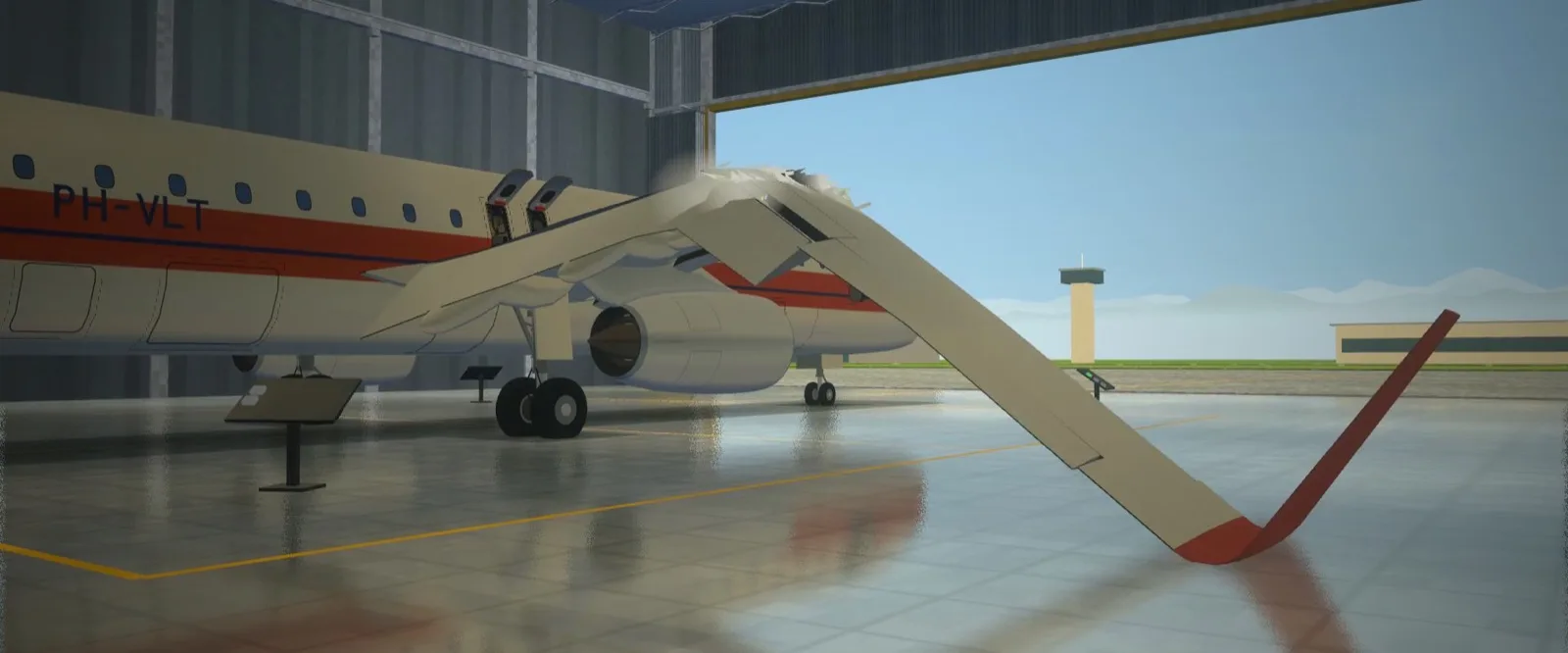
- The test hangar. The airliner wing bends along a true arc, about 6 m at the tip before it gives. Where it breaks depends on how you load it: a yank snaps off the tip, a slow pull breaks it closer to the root. The hull bends visibly under the crane before it snaps across, the seated passengers fold with it and containers spill from the rear hold. The sounds of breaking glass are matched against real recordings.
- The 24/7 stream. Chat could already change the weather and time of day there, as a preview; now it can also switch the plane's lights.
Next
Morning fog, low cloud, rain, sunset and night are in the works and follow in updates, as finished weather instead of a preview. No dates: when something is ready, it ships.
Feedback welcome
- Flying with a joystick or pedals? Tell me which one and whether binding it worked, especially on Windows.
- On Quest: does the pause menu behave now?
Come say hi on Discord. The game also streams live on Twitch.